
Moving from iManage to SharePoint: A Law Firm Migration Guide
Migrating a law firm’s document management system (DMS) from iManage to SharePoint Online is a significant operational and technical transformation. While many law firms are moving toward Microsoft 365-native document management, a successful migration involves much more than transferring files from one platform to another.
An iManage to SharePoint migration must account for the relationships that make a legal document management system functional: client and matter workspaces, document metadata, version history, folder structures, email records, document relationships, and granular access permissions.
The challenge is to preserve this legal context while transitioning to SharePoint Online as the foundation of a Microsoft 365-based legal document management environment. Without a structured migration strategy, firms risk losing important document properties, disrupting established workflows, weakening access controls, and making historical matter information difficult to locate.
Written by Knowledge Team, posted on Nov 02, 2026
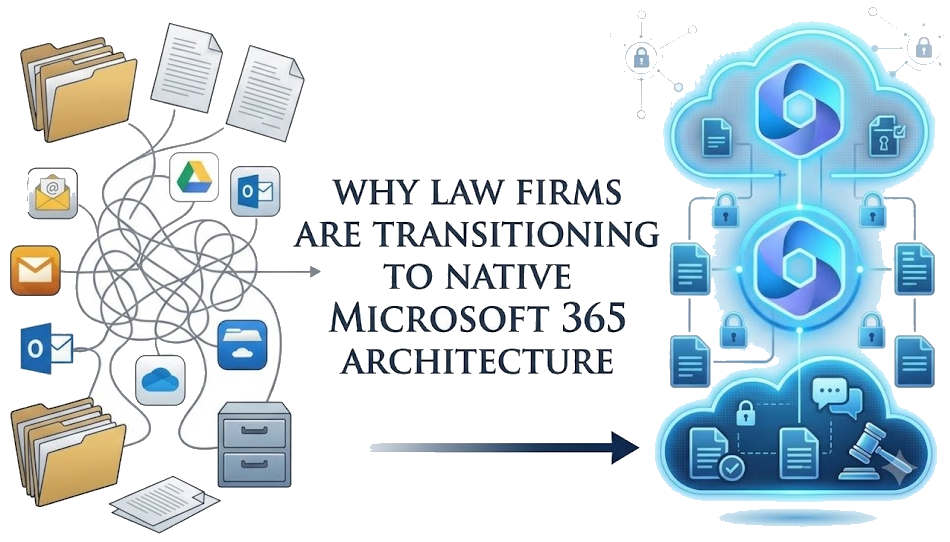
Why Law Firms Are Transitioning to Native Microsoft 365 Architecture
Transitioning legal document management to a Microsoft 365-native architecture reduces dependence on proprietary DMS infrastructure, makes better use of existing Microsoft 365 investments, and enables matter-centric collaboration through Microsoft Teams, Word, and Outlook.
Legacy DMS solutions create data silos, require expensive custom infrastructure, and lock firm data into proprietary environments. By shifting matter management to Microsoft 365, law firms gain:
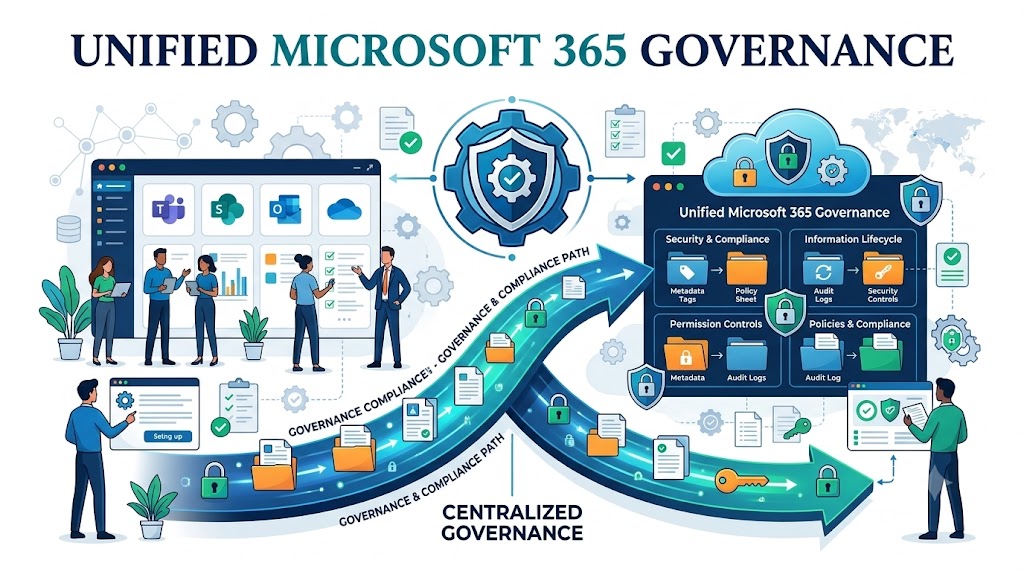
Unified Microsoft 365 Governance
Centralize identity management and group-based access through Microsoft Entra ID, while applying Microsoft Purview capabilities for information protection, retention, compliance, and supported information barrier policies.
Reduced Infrastructure and DMS Licensing Overhead
Leverage your existing Microsoft 365 investment and reduce dependence on separate document management infrastructure, proprietary storage environments, and legacy DMS licensing.
Matter-Centric Collaboration
Enable real-time co-authoring, mobile access, and secure client sharing natively within Microsoft Teams, Word, and Outlook.
Evaluating iManage to SharePoint Migration Approaches
Law firms migrating from iManage to SharePoint must choose between specialist migration platforms for full metadata/ACL preservation, custom API scripts for legacy database structures, or native file exports for simple archive-only data.
When planning your move to SharePoint Online and Microsoft 365, evaluate these primary migration paths:
| Migration Approach | When to Consider It | Key Requirements & Verification |
|---|---|---|
| Specialist Migration Platform or Service | You require structured, automated migration of client/matter workspaces, rich metadata schemas, security ACLs, and delta synchronization. | Require vendors to demonstrate successful metadata transformation, security remapping, internal link handling, and delta syncs directly on a pilot dataset. |
| Custom Extraction & Migration | Your source environment involves unique transformation scripts, legacy on-premises databases, or custom API mappings. | Verify that your integration team has robust error logging, handles Microsoft Graph API throttling limits, and maintains data integrity across thousands of matters. |
| Native File Export & Upload | You are implementing a simple archival strategy without preserving active matter structures or metadata. | Microsoft’s native migration capabilities are designed primarily for supported file shares and SharePoint environments. Migrating from iManage typically requires a specialist migration solution or custom extraction and transformation processes to preserve document metadata, version history, workspace structures, and security permissions. |
For most law firms, the choice of migration approach depends on the complexity of the existing iManage environment. Firms with active matters, extensive document metadata, multiple document versions, and complex ethical walls generally need a structured migration solution rather than a basic file export. Archival migrations with limited requirements may use simpler extraction and upload processes.
Law firms evaluating a move away from iManage should also consider the broader range of alternatives available within the Microsoft 365 ecosystem. Our guide to iManage Alternatives: Microsoft 365, SharePoint and Legal DMS explores how law firms can modernize document management without relying on traditional DMS platforms.
Law Firm DMS Migration Checklist
A successful legal DMS migration requires pre-defining exact mapping specifications for workspaces, metadata fields, version stacks, security ACLs, email headers, audit trails, and cutover freezes before executing bulk transfers.
Use this checklist to audit your technical requirements before migrating production data:
Workspaces & Matters
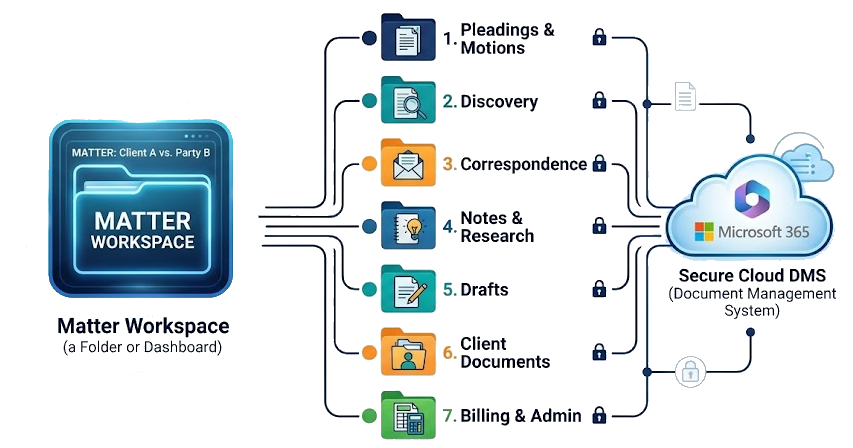
Map source client/matter workspaces to an appropriate SharePoint architecture using sites, document libraries, folders, content types, and metadata columns. Avoid unnecessarily deep folder structures and ensure the destination architecture supports matter-level access control and document discovery.
Document Metadata
Map essential legal properties—including Document IDs, client/matter numbers, document types, authors, and creation/modification dates—to SharePoint custom columns.
Version History
Determine whether to migrate full version histories or designated major versions, and verify how version stacks display to end users.
Permissions & Security
Map legacy iManage ACLs to an appropriately designed SharePoint security model using Microsoft Entra ID groups and SharePoint permissions. Validate inherited and unique permissions, external sharing restrictions, and ethical wall boundaries using representative user accounts. Minimize unnecessary item-level permissions and design the workspace structure to support manageable permission scopes.
Emails & Attachments
Ensure original .msg and .eml files retain their original content and relevant header information, including sender, recipient, subject, and timestamps. Validate that migrated emails and attachments can be located through the destination search experience.
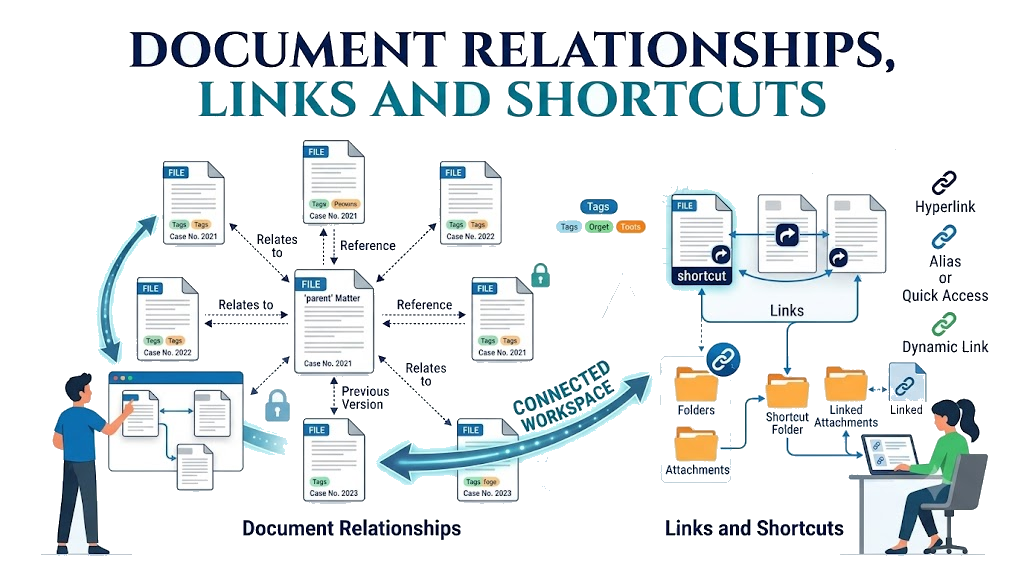
Document Relationships, Links and Shortcuts
Validate document-to-document references, email-to-attachment relationships, and links embedded in documents where applicable.
Records & Audit Trails
Plan how historical audit logs will be archived and how governance policies will apply in Microsoft Purview.
Cutover Strategy
Define baseline data syncs, incremental delta passes, the editing freeze window, and sign-off criteria.
Document Identity and Deduplication
Establish how source document identifiers will be mapped to destination documents, identify duplicate files, and maintain traceability between original iManage records and migrated SharePoint documents.
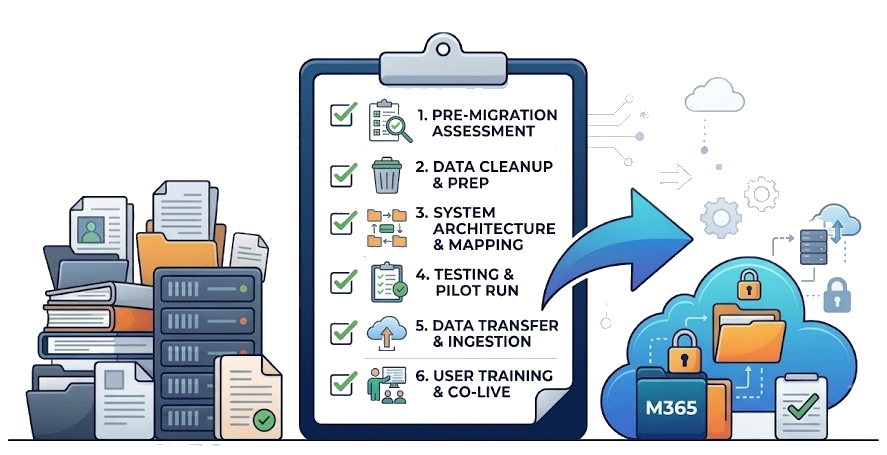
Recommended 6-Phase Project Sequence
The optimal legal DMS migration project sequence moves linearly through discovery, destination architecture, pilot testing, data reconciliation, phased wave migration, and post-cutover validation to maintain business continuity.
A seamless migration follows a structured methodology to ensure business continuity at cutover:
1. Inventory the Source
Catalog document and version counts, total storage volume, active workspaces, custom metadata fields, and permission exceptions.
2. Design the Destination
Architect your SharePoint Online taxonomy, content types, and metadata schemas prior to bulk data loading.

3. Run a Representative Pilot
Test the migration pipeline against a diverse sample of restricted workspaces, multi-version files, archived emails, and cross-referenced documents.
4. Reconcile the Pilot
Audit pilot document counts, metadata accuracy, version stacks, and security permission boundaries.
5. Migrate in Waves
Execute data transfers in manageable waves, run incremental delta passes for active documents, and reconcile document counts, metadata, permissions, and migration exceptions after each wave.
6. Post-Migration Validation
Maintain the legacy system in a read-only state during an agreed validation window prior to decommissioning.

How PageLightPrime Extends SharePoint into a Legal DMS
SharePoint Online provides the document storage, collaboration, security, and governance foundation of Microsoft 365. However, law firms need additional capabilities to manage documents around clients and matters, organize legal workspaces, file emails, automate document workflows, and connect document management with practice management.
PageLightPrime extends Microsoft 365 into a purpose-built legal document management software and law firm practice management platform. Rather than introducing another proprietary document repository, PageLightPrime uses the law firm’s Microsoft 365 environment, with matter-related documents remaining in the firm’s SharePoint Online and OneDrive infrastructure.
This architecture allows law firms to combine Microsoft 365’s identity, security, collaboration, and governance capabilities with specialized legal workflows for document management, matter management, time tracking, billing, trust accounting, and client collaboration.
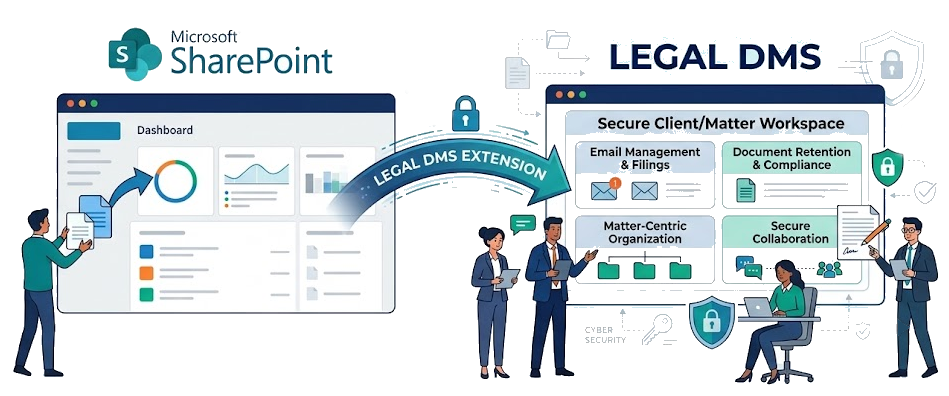
Key Capabilities of PageLightPrime:
Native Microsoft 365 Integration & Governance
Operates within your firm’s Microsoft 365 environment, keeping matter documents in your own SharePoint Online and OneDrive infrastructure while leveraging Microsoft Entra ID and Microsoft Purview capabilities for identity, access control, and information governance.
Automated Matter-Centric Collaboration
Automatically provisions client and matter workspaces with standardized document libraries, metadata structures, and access controls.
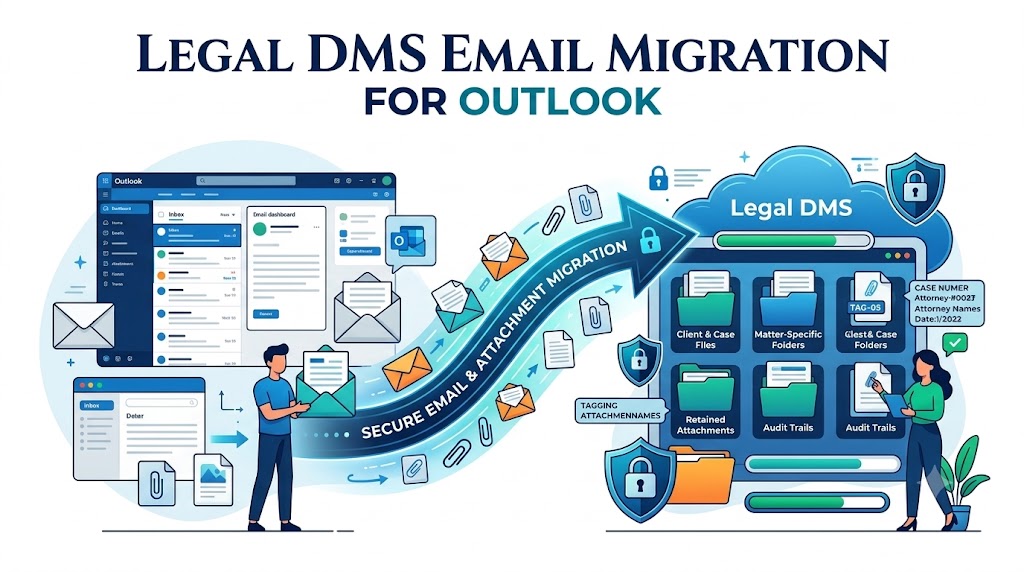
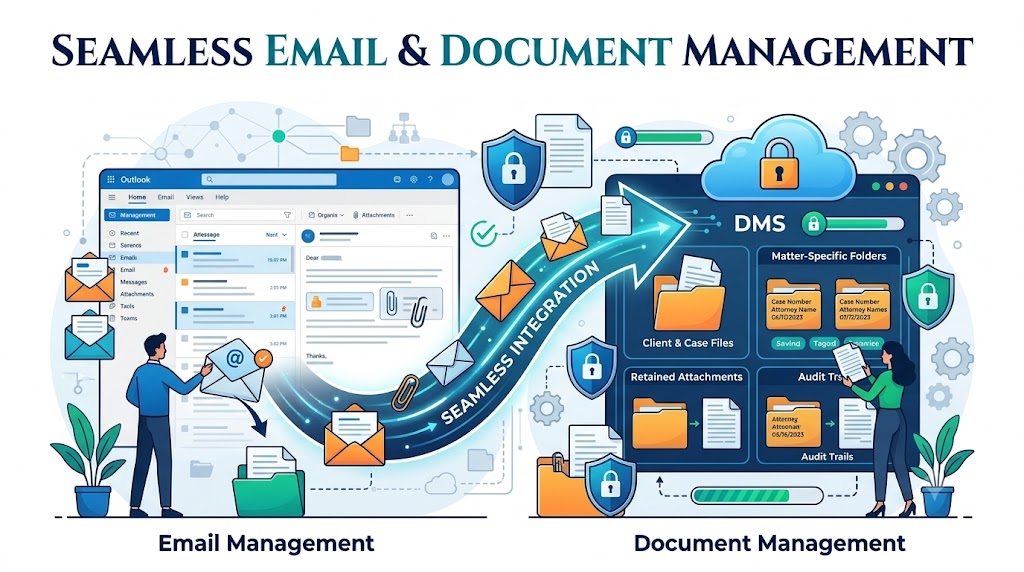
Seamless Email & Document Management
File emails directly from Microsoft Outlook into client and matter workspaces, retaining relevant email metadata and maintaining relationships between filed emails and their attachments through integrated law firm email management system.
Enterprise Legal Search
Search across matter documents, custom metadata, and filed emails using centralized legal search capabilities integrated with the Microsoft 365 environment.
Complete Practice Management Suite
Unify document management with legal time tracking, trust accounting, client portals, and workflow automation in a single platform.
“
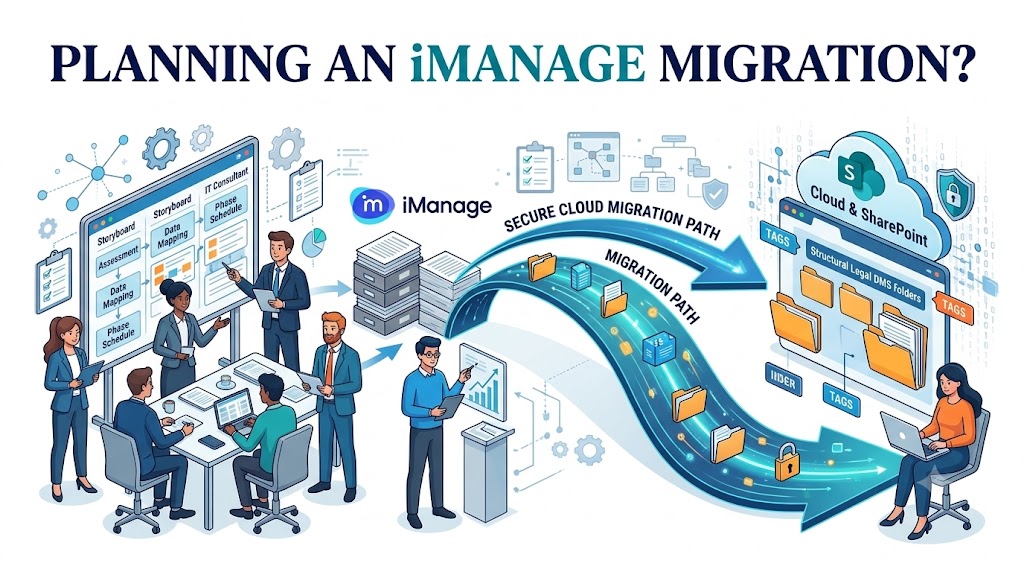
Planning an iManage Migration?
PageLightPrime helps law firms transition to Microsoft 365-native legal document management while keeping matter documents within their own Microsoft 365 environment. Contact us to discuss your existing iManage architecture and migration requirements.
“
Frequently Asked Questions (FAQ)
Can iManage document metadata and version history be preserved during migration?
Yes, provided the migration process explicitly supports metadata transformation and version-history migration. Document identifiers, client and matter numbers, document types, authors, timestamps, and version information should be mapped to the corresponding SharePoint properties and version history. These mappings must be validated through representative pilot migrations.
How are iManage permissions and ethical walls handled in SharePoint?
Legacy iManage access permissions must be analyzed and mapped to the destination SharePoint security architecture. This typically involves Microsoft Entra ID groups, SharePoint site and library permissions, and appropriate information protection and compliance controls. Ethical wall restrictions must be tested using representative user accounts to verify that unauthorized users cannot access restricted matter information.
Does migrating from iManage to SharePoint require moving all documents into a new document repository?
Not necessarily. A Microsoft 365-native legal DMS can use the law firm's existing SharePoint Online and OneDrive infrastructure for document storage. With PageLightPrime, matter documents remain within the firm's Microsoft 365 environment rather than being transferred to a separate PageLightPrime document repository.
Can SharePoint replace iManage for law firms?
SharePoint Online provides enterprise document storage, collaboration, security, and governance capabilities. However, law firms generally require additional legal-specific functionality, including matter-centric workspaces, Outlook email filing, document automation, legal search, and practice management. A purpose-built legal DMS such as PageLightPrime extends Microsoft 365 with these capabilities.
How long does an iManage to SharePoint migration take?
The timeline depends on document volume, number of workspaces, metadata complexity, version history, security requirements, and the migration approach. A structured project typically includes source discovery, destination architecture, pilot migration, reconciliation, phased migration, and post-migration validation. A realistic timeline should be established after assessing the source environment.