
Can SharePoint Be a Legal Document Management System for Law Firms?
Yes—SharePoint can serve as the foundation of a legal document management system, particularly for firms already standardized on Microsoft 365. But SharePoint is not automatically a complete legal DMS out of the box.
The difference is not whether a firm creates folders named after clients and matters. The difference is whether it adds matter-centric information architecture, repeatable governance, Outlook email filing, access controls, lifecycle management, and workflows attorneys will actually use.
A well-designed SharePoint legal DMS can give a firm strong Microsoft 365 integration, Word co-authoring, Teams collaboration, version history, enterprise search, and Microsoft Purview compliance capabilities. A poorly designed one becomes a better-looking shared drive with inconsistent folders, unmanaged permissions, incomplete matter files, and low adoption.
Written by Knowledge Team, posted on October 06, 2026
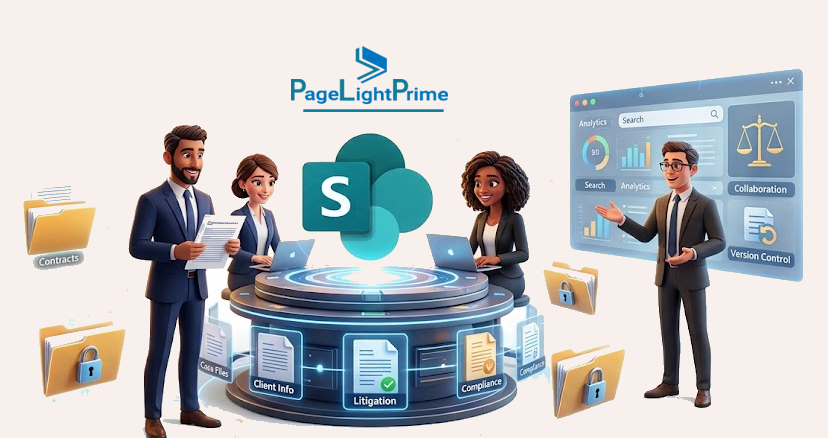
PageLightPrime helps bridge that gap. Built on Microsoft 365 for law firms and SharePoint, PageLightPrime adds the legal matter structure, law firm outlook email management, document workflows, client matter workspaces, and practice-management context that help firms use SharePoint as a true legal DMS—not simply as a document repository.
SharePoint can function as a legal document management system for law firms when it is configured with matter-centric workspaces, legal metadata, Outlook email filing, governance controls, retention policies, and workflow automation. While Microsoft 365 provides the underlying content and collaboration platform, law firms often add legal-specific software to deliver complete legal DMS experience.
Executive Summary
- SharePoint can serve as the foundation of a legal document management system.
- SharePoint alone lacks legal-specific capabilities such as matter-centric email filing, matter provisioning, legal metadata, and practice-management context.
- Law firms often extend SharePoint with legal software to create a complete legal DMS.
- PageLightPrime adds legal matter management, Outlook email filing, workflow automation, and governance while keeping documents in the firm’s Microsoft 365 tenant.

What SharePoint as a Legal DMS Means
A SharePoint legal document management system organizes, governs, and retrieves documents and correspondence by client and matter. It should not treat SharePoint as a general departmental repository or a collection of unstructured folders.
In a workable legal environment, users should be able to:
- Open a matter workspace and access its documents, matter emails, Teams resources, tasks, key links, and related work product.
- Save, profile, search, and retrieve content using legal metadata such as client, matter number, document type, practice area, author, matter status, confidentiality level, and retention category.
- Apply role- and matter-based access controls, including restricted-matter processes where required.
- Work in familiar Microsoft 365 applications such as Word, Outlook, Teams, OneDrive, and SharePoint.
- Use version history, co-authoring, Microsoft Search, audit tools, retention capabilities, eDiscovery, and legal-hold processes.
- Provision consistent matter workspaces automatically when a new matter is opened.
- Transition matter content through controlled closure, archive, retention, disposition, and legal-hold processes.
The goal is not merely to store documents in SharePoint. It is to make SharePoint operate as a controlled, searchable, matter-based content environment that attorneys and staff can use without leaving their normal Microsoft 365 workflow.

SharePoint Alone vs. a Legal DMS
SharePoint includes many of the foundational capabilities needed for document management. However, law firms usually need additional legal-specific design, workflow automation, governance, or a platform such as PageLightPrime to make those capabilities practical on scale.
| Legal DMS requirement | SharePoint / Microsoft 365 capability | What usually requires design, automation, or a legal-focused platform | How PageLightPrime helps |
|---|---|---|---|
| Matter-centric filing | Document libraries, folders, Document Sets, content types, managed metadata | Matter provisioning, standardized matter IDs, matter-status rules, naming standards, matter templates | Creates structured matter workspaces that connect documents, emails, tasks, workflows, and related matter information |
| Document version control | Version history, check-in/check-out, co-authoring, Word integration | Policies for drafts, final versions, executed documents, version cleanup, and attorney-friendly review processes | Keeps legal documents organized within a matter context while leveraging native SharePoint versioning and Microsoft Word |
| Matter security | SharePoint permissions, Microsoft Entra ID groups, sensitivity labels | Matter-level access patterns, restricted-matter procedures, access reviews, scalable administration | Supports matter-based access controls and more consistent legal workspace administration |
| Search and retrieval | SharePoint Search and Microsoft Search | Legal metadata, filing discipline, search relevance, content-quality controls, cross-matter search rules | Adds matter-aware search and legal document profiling across documents and related matter content |
| Outlook email filing | Manual filing, sharing links, Outlook-to-SharePoint processes | Matter selection, sent-mail filing, email metadata capture, attachment handling, filing validation | Provides Outlook-based email management and matter-centric filing workflows |
| Teams collaboration | Teams files are stored in SharePoint | Controlled workspace creation, Teams governance, channel controls, security alignment, lifecycle management | Connects matter workspaces and legal workflows to the Microsoft 365 collaboration environment |
| Records and retention | Purview retention labels, retention policies, eDiscovery, audit capabilities | Taxonomy, disposition approvals, client rules, jurisdictional requirements, licensing validation | Works with the firm’s Microsoft 365 and Purview governance approach |
| Workflow and automation | Power Automate, Power Apps, Microsoft Graph | Matter opening, workspace provisioning, approvals, closure, billing and accounting integration | Supports legal workflow automation and consistent matter-workspace processes |
| Practice-management context | Microsoft 365 is not, by itself, a legal practice-management system | Matter data, intake, time, billing, accounting, trust accounting, CRM, calendars, legal operations | Combines SharePoint-based document management with legal practice-management capabilities |
SharePoint vs iManage vs NetDocuments
| Feature | SharePoint | iManage | NetDocuments |
|---|---|---|---|
| Microsoft 365 Native | Yes | Partial | Partial |
| Outlook Integration | Native | Strong | Strong | Teams Integration | Native | Limited | Limited |
| Matter Workspaces | Requires configuration | Yes | Yes |
| Legal Email Filing | Requires solution layer | Yes | Yes |
| Purview Compliance | Native | External | External |
How PageLightPrime Extends SharePoint
SharePoint provides a strong content-management foundation, but it does not automatically deliver the experience law firms expect from legal document-management software.
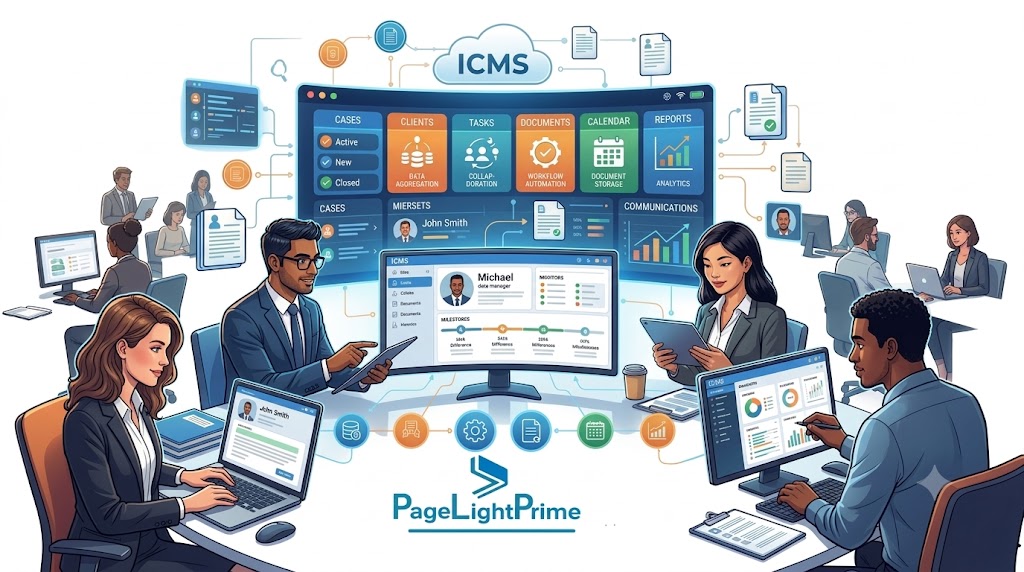
PageLightPrime is a legal practice-management software and legal document-management platform built on Microsoft 365 and SharePoint. It helps firms organize documents, Outlook emails, tasks, workflows, billing activity, contacts, and matter data in a connected matter workspace while allowing attorneys and staff to continue working in familiar Microsoft applications.

A PageLightPrime-based legal DMS can help a firm:
- Create a consistent workspace for every client and matter.
- Organize SharePoint documents by client, matter, document type, practice area, responsible attorney, confidentiality level, and other legal metadata.
- File emails and attachments from Outlook into the correct matter record.
- Reduce reliance on inconsistent manual folder structures and personal inbox storage.
- Make related documents, emails, tasks, notes, contacts, and workflows accessible from the same matter context.
- Apply consistent matter-opening, matter-closing, and workspace-provisioning processes.
- Use Microsoft Word, Outlook, Teams, OneDrive, SharePoint, and other Microsoft 365 tools without forcing attorneys into a separate daily work environment.
- Connect document management with broader law-firm operations, including matter management, timekeeping, billing, accounting, trust accounting, CRM, and workflow automation.
In practical terms, SharePoint remains the content platform, while PageLightPrime provides the legal operating layer.
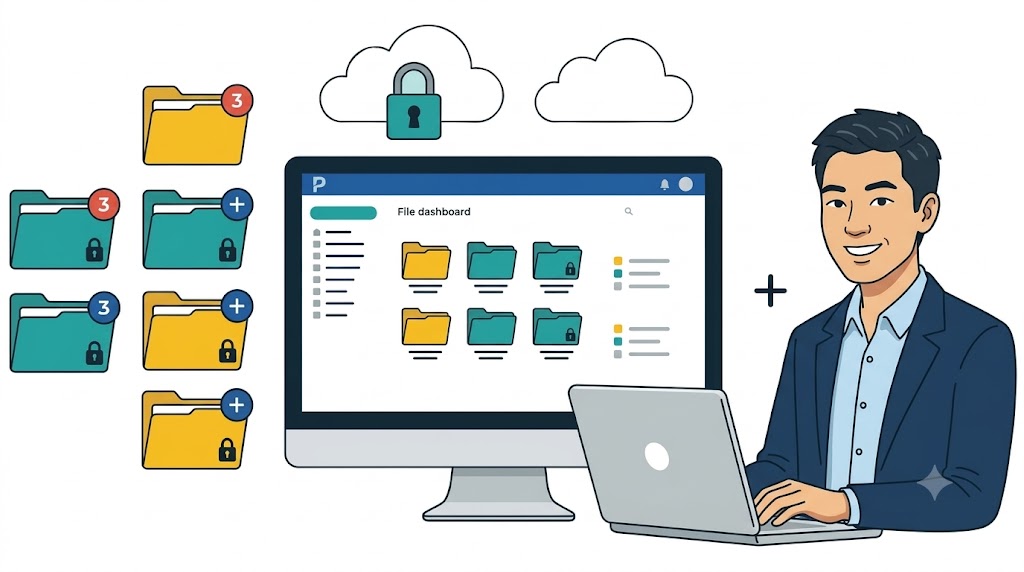
A Sensible SharePoint Architecture
For many firms, creating a separate SharePoint site for every matter is not the best default. A site-per-matter model can be appropriate for highly restricted matters, major transactions, client collaboration portals, data rooms, or matters requiring unusually strong isolation.
At scale, however, a site-per-matter approach can create administrative burden, lifecycle complexity, provisioning delays, and governance sprawl.
A more practical design often uses a controlled central matter repository, with a standardized workspace for each matter.

Recommended design pattern
- Client and matter workspace: A controlled workspace tied to a unique client ID and matter ID.
- Matter repository: A document library, Document Set, controlled folder structure, or other matter-level container for documents and correspondence.
- Matter metadata: Client ID, matter ID, matter name, responsible attorney, practice area, confidentiality level, matter status, document type, document date, and retention category.
- Document taxonomy: Pleadings, correspondence, discovery, contracts, work product, research, closing documents, invoices, client-provided documents, and precedent.
- Standard matter views: Recent activity, pleadings, correspondence, documents awaiting review, final documents, restricted documents, and closed-matter content.
- Automated provisioning: Creation of the workspace, security groups, matter metadata, templates, Teams resources, views, and retention-related configuration when a matter opens.
- Matter closure workflow: Access review, matter-status update, archive or read-only transition, retention classification, disposition review, and legal-hold exceptions.

The appropriate architecture depends on matter volume, access-isolation requirements, document volumes, external-collaboration needs, metadata discipline, integration needs, and the firm’s ability to automate administration.
Document Sets can be useful in a matter-centric design because they group related documents as one entity and can apply shared metadata, default content, and version-history snapshots. However, they do not independently provide legal matter security, ethical walls, Outlook email filing, or a complete case-file experience. Microsoft describes a Document Set as a group of related documents that can be managed as a single entity.
Security and Ethical Walls
SharePoint can support sophisticated access control, but permissions become difficult to manage when firms create thousands of unique exceptions at the folder or document level.
Microsoft supports up to 50,000 unique permission scopes in a SharePoint list or library, but recommends a general limit of 5,000. That recommendation is per list or library—not per site or tenant. Firms should view this as an architectural warning, not a design target.
Every folder or document that breaks inherited permissions creates a distinct security scope. A legal document-management system should therefore avoid casual, ad hoc permission changes and instead rely on repeatable group-based patterns.

For a legal environment, that usually means:
- Provisioning matter security through Microsoft Entra ID or Microsoft 365 groups.
- Using role-based groups such as matter owners, responsible attorneys, timekeepers, legal assistants, support staff, and read-only users.
- Creating a formal restricted-matter process rather than using unmanaged document-level exceptions.
- Performing access reviews when people join or leave a matter and again when the matter closes.
- Limiting who may break inherited permissions, add external users, or share matter content.
- Maintaining an approval and audit process for restricted-matter access exceptions.
An ethical wall is not merely a SharePoint permission setting. SharePoint and Microsoft Entra can enforce access restrictions, but a defensible ethical-wall program must also address conflict intake, matter designation, controlled membership, exceptions, auditing, supervision, offboarding, and closure.
PageLightPrime can help firms apply matter-based workspace and access patterns more consistently, but firms should still define the underlying conflict, risk, and information-governance processes that support restricted matters.

Teams, Outlook, and the Complete Matter File
Teams and SharePoint work closely together, but law firms should understand that Teams data does not reside in one single matter-file location.
For standard Teams channels, shared files are stored in the Team’s SharePoint site, while channel conversations are stored in the Team’s associated Exchange mailbox. One-to-one and group-chat messages are stored in the Exchange mailboxes of the users in the chat, while files shared in chats are typically stored in the sender’s OneDrive.
Private and shared Teams channels introduce additional governance considerations:
- Private-channel files are stored in a dedicated SharePoint site.
- Shared-channel files are also stored in a dedicated SharePoint site.
- Private-channel messages are stored in the Exchange mailboxes of private-channel members.
- Shared-channel messages are stored in a system mailbox associated with the shared channel.
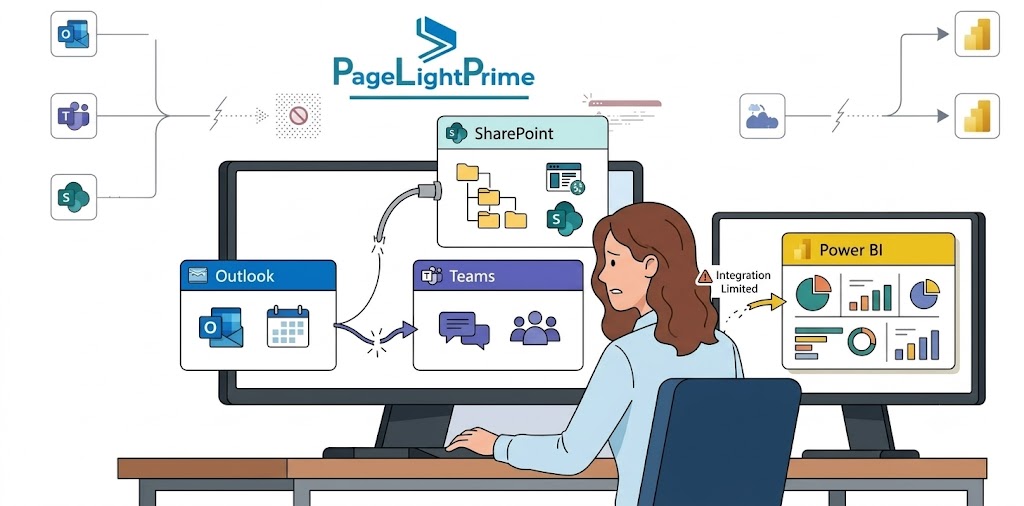
That distinction matters for:
- Matter-file completeness.
- Records and retention planning.
- eDiscovery collections.
- Legal-hold scoping.
- Attorney and staff offboarding.
- External collaboration.
- Decisions about whether Teams should serve as a primary matter-workspace interface.

Outlook email filing is critical
Outlook email filing is often the largest gap between a generic SharePoint implementation and a true legal DMS.
SharePoint can store emails, and Outlook supports links and manual filing approaches. But legal users usually need faster, matter-aware workflows that support:
- Matter selection from Outlook.
- Sent-email filing.
- Filing of messages and attachments together or separately.
- Capture of sender, recipient, subject, sent date, and related metadata.
- Suggested matter destinations.
- Filing validation and duplicate avoidance.
- Search across email and documents as part of the matter file.
If attorneys must manually drag messages into folders, save emails inconsistently, or rely on personal inboxes as the primary record, the firm does not have a reliable complete matter file.
PageLightPrime provides Outlook-based legal email-management workflows that help connect messages and attachments to the right client and matter, reducing reliance on manual drag-and-drop behavior.

Records, Retention, eDiscovery, and Legal Holds
Microsoft Purview is a major advantage of a Microsoft 365-centered legal content strategy. It can support retention, records management, audit, sensitivity labels, eDiscovery, and legal-hold workflows across SharePoint, OneDrive, Exchange, and Teams.
However, firms should not confuse retention with legal hold.
- Retention supports information-governance rules, such as retaining a class of documents for a stated period and then triggering disposition review or deletion.
- Legal hold preserves content relevant to a specific investigation, dispute, claim, or legal matter.
- eDiscovery helps organizations identify, preserve, collect, review, and produce electronically stored information.
For SharePoint and OneDrive, Microsoft retention settings can preserve content when it is modified or deleted. Retained content may be preserved in the hidden Preservation Hold Library, which is system-managed and should not be treated as a user-facing document archive.

Microsoft eDiscovery holds preserve content in scoped locations until the hold is released or removed.
A legal-hold design should account for where matter-related data actually resides, including:
- SharePoint sites and document libraries.
- OneDrive accounts.
- Exchange mailboxes.
- Standard Teams channel data.
- Private and shared Teams channel locations.
- One-to-one and group chat data.
- Third-party systems integrated with the matter workflow.
Purview retention, eDiscovery, audit, and information-protection capabilities have licensing and configuration requirements that vary by feature and tenant. Firms should validate licensing, administrative roles, storage implications, and workflow responsibilities during solution design—not after a preservation obligation arises.

Where SharePoint and PageLightPrime Work Best
A SharePoint-first legal DMS strategy can be a strong fit for:
- Small and midsize firms that already license Microsoft 365 and want to avoid operating a separate document-management ecosystem.
- Firms that want to turn SharePoint into a legal DMS by adding PageLightPrime’s matter workspaces, Outlook email management, legal workflows, and practice-management context.
- In-house legal departments that collaborate heavily with business users through Teams, Outlook, OneDrive, and SharePoint.
- Firms that want attorneys to work in familiar Microsoft applications rather than switching continuously between disconnected systems.
- Organizations that prioritize co-authoring, Teams collaboration, external sharing controls, Microsoft security, and Microsoft Purview compliance capabilities.
- Firms that want one legal technology environment for matter management, document management, email management, billing, accounting, trust accounting, CRM, and workflow automation.
- Firms migrating from network drives, Worldox, NetDocuments, iManage, or fragmented document repositories that want to consolidate legal work on Microsoft 365.
PageLightPrime is especially relevant where the firm wants to retain SharePoint and Microsoft 365 as the foundation while adding legal-specific matter management, document management, email filing, workflows, and operational context.

Main Limitations and Risks
The biggest mistake is assuming a SharePoint library becomes a legal DMS simply because it contains folders named after clients or matters.
Common risks include:
- Email filing is not native legal-DMS behavior. Reliable capture, classification, sent-mail filing, attachment management, and matter-centric email search usually require a defined process, automation, or a legal-specific email-management layer.
- Permissions can become unmanageable. Unique permissions at the folder and document level are difficult to audit, maintain, and scale. Firms should use groups and repeatable matter-security patterns.
- Poor metadata produces poor retrieval. If attorneys and staff must enter too many fields—or can bypass meaningful classification—search quality and governance decline.
- Matter provisioning is essential. Manual workspace creation creates inconsistent names, security controls, templates, Teams resources, matter views, and lifecycle settings.

- User adoption is a product-design issue. Attorneys will not consistently use a process that is slower than saving files locally, attaching them to email, or working entirely from Outlook.
- Migration requires cleanup. Network-drive, iManage, NetDocuments, and Worldox migrations often contain duplicates, broken links, obsolete content, inconsistent naming, poor metadata, and inherited permissions that should not simply be copied into SharePoint.
- Compliance configuration requires expertise. Retention labels, retention policies, legal holds, audit settings, sensitivity controls, and external-sharing rules must align with firm policies, client obligations, and applicable requirements.
- A platform still needs governance. PageLightPrime can provide legal-specific functionality on SharePoint, but firms must still define ownership, security policies, metadata standards, retention schedules, and adoption processes.
SharePoint alone is often insufficient when a firm needs reliable legal email filing, matter-centric workspaces, document profiling, practice-management context, repeatable provisioning, attorney-friendly search, and legal workflows. PageLightPrime can close many of those functional gaps while allowing the firm to retain Microsoft 365 and SharePoint as the underlying technology foundation.

A Practical Recommendation
Position SharePoint as the content and collaboration platform—and use a legal-specific solution such as PageLightPrime when the firm needs SharePoint to operate as a complete, matter-centric legal document-management environment.
A practical Microsoft 365 legal-DMS architecture should:
- Keep PageLightPrime as the authoritative source for legal matter information, workflows, users, client relationships, matter status, billing, accounting, and related operational data where applicable.
- Use SharePoint Online as the governed repository for matter documents, collaborative content, precedent, knowledge assets, and document templates.
- Use PageLightPrime to connect SharePoint documents, Outlook emails, matter data, tasks, workflows, contacts, and legal operations in a single matter-centric experience.
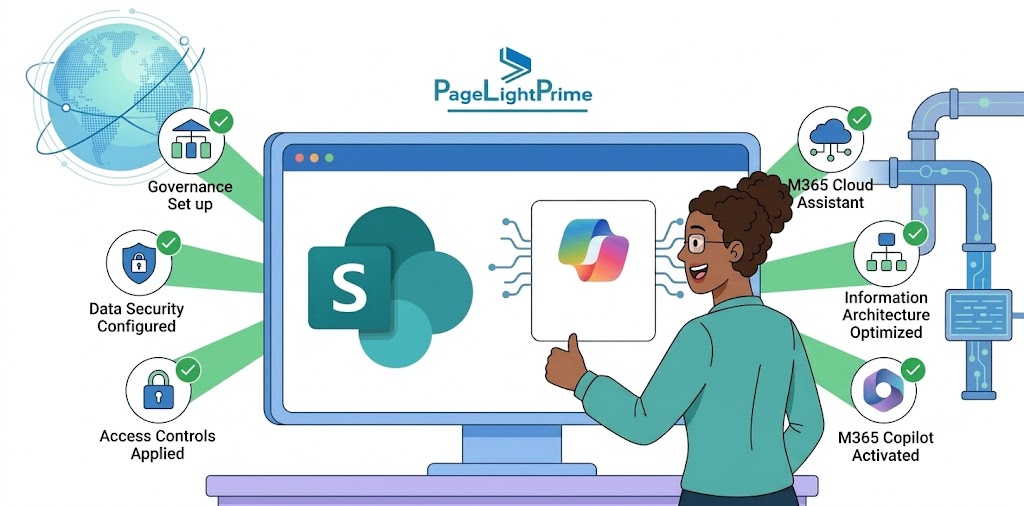
- Automate matter-workspace provisioning when a new matter opens.
- Apply a legal taxonomy and require only the metadata needed for security, search, governance, retention, and reporting.
- Use Outlook-based legal email filing so emails and attachments become part of the searchable matter record.
- Use Teams intentionally for internal and external collaboration, with clear governance for channels, chats, files, and external participants.
- Use Microsoft Purview for retention, sensitivity labels, audit, eDiscovery, and legal-hold processes.
- Pilot the model with one practice group, measure adoption and filing completeness, then expand through a controlled rollout.
For example, when a litigation matter opens in PageLightPrime, an automated workflow can create a SharePoint matter workspace using the matter number, client information, responsible attorneys, practice area, confidentiality level, and litigation-specific document types.

The workspace can include:
- Standard SharePoint document libraries or matter containers.
- Matter metadata and document-type classifications.
- Attorney and staff access groups.
- Default templates and legal precedents.
- Matter tasks and workflows.
- Linked Teams collaboration resources.
- Outlook email-filing destinations.
- Standard views for pleadings, correspondence, discovery, work product, final documents, and recent activity.
- Default lifecycle and retention-related configuration.
When the matter closes, the workflow can initiate an access review, update the matter status, transition content to read-only or archive status, begin the firm’s records process, and preserve relevant information if a legal hold applies.
That approach captures SharePoint’s strongest advantages—Microsoft 365 integration, collaboration, versioning, security, and governance—while using PageLightPrime to provide the legal matter context and attorney-facing workflows that SharePoint does not deliver by itself.

What Law Firms Should Remember
- SharePoint can be the foundation of a legal DMS.
- Metadata and matter structure matter more than folders.
- Outlook email filing is often the biggest gap.
- Purview strengthens compliance and governance.
- Matter-centric workflows improve adoption.
- Legal-specific platforms help transform SharePoint into a complete legal workspace.
“
Build a Legal DMS on Microsoft 365
SharePoint can be the governed document and collaboration foundation of a modern legal technology stack. But it does not become a complete legal DMS simply because a firm creates folders for clients and matters.
PageLightPrime helps law firms build on Microsoft 365 and SharePoint by adding matter-centric workspaces, legal document management, Outlook email filing, workflows, search, metadata, access controls, and integrated practice-management capabilities. The result is a legal environment where documents, emails, tasks, contacts, billing activity, and matter information can remain connected while attorneys continue working in familiar Microsoft tools.
If your firm is evaluating SharePoint for legal document management, assess the entire workflow—not just file storage. The right design should address matter intake, workspace provisioning, security, Outlook email filing, search, collaboration, retention, eDiscovery, migration, and user adoption from the start.
“
Frequently Asked Questions (FAQ)
Is SharePoint secure enough for confidential legal matters?
SharePoint can support secure legal collaboration when configured with Microsoft Entra identity controls, group-based permissions, sensitivity labels, conditional-access controls, audit capabilities, retention rules, and disciplined external-sharing settings.
Security depends on the architecture, configuration, governance model, and user behavior—not merely on the product name.
Can SharePoint create ethical walls?
SharePoint can enforce access restrictions through permissions, groups, and sensitivity controls. However, an ethical wall requires a broader operational process that includes conflict intake, restricted-matter designation, approved membership changes, exception controls, auditability, supervision, and matter closure.
Can attorneys file Outlook email into SharePoint?
Yes, but the quality of the experience depends on the workflow. Manual filing and link-sharing are possible, but most law firms need matter-aware filing, sent-email capture, email metadata, attachment handling, suggested destinations, validation, and search across the complete case file.
PageLightPrime provides Outlook-based legal email-management workflows intended to make matter-centric email filing more practical for attorneys and staff.
Should every legal matter have its own SharePoint site?
Not necessarily. A site-per-matter model can work for highly restricted matters, major deals, external collaboration, or matters requiring unusually strong isolation.
For high matter volumes, a central repository with controlled matter workspaces often reduces site sprawl and simplifies lifecycle management. The right model depends on matter volume, security isolation, document volume, external collaboration, governance maturity, and automation capabilities.
Does SharePoint support legal document version control?
Yes. SharePoint includes version history, co-authoring, check-in/check-out controls, and integration with Microsoft Word. Law firms can track document revisions, compare versions, restore previous versions, and maintain a history of changes.
However, version control alone does not create a complete legal document-management system. Firms still need matter-centric organization, document profiling, security controls, and email-management processes to maintain a complete matter file.
Can SharePoint replace network drives for law firms?
Yes. Many law firms migrate from traditional network drives to SharePoint Online because it provides centralized document storage, version history, search, collaboration, security controls, and remote access through Microsoft 365.
A successful migration usually requires more than simply copying folders. Firms should establish a matter-centric structure, metadata standards, security model, retention policies, and governance processes before moving content.
How does SharePoint handle legal holds and eDiscovery?
SharePoint works with Microsoft Purview to support legal holds, eDiscovery, retention policies, audit capabilities, and records management. Legal holds can preserve relevant content while investigations, litigation, or regulatory matters remain active.
Law firms should also consider related content stored in Exchange, OneDrive, Teams, and other connected systems when designing a legal-hold strategy.
What metadata should law firms use in SharePoint?
The appropriate metadata depends on the firm's practice areas and governance requirements, but common fields include:
- Client ID
- Matter ID
- Matter Name
- Responsible Attorney
- Practice Area
- Document Type
- Confidentiality Level
- Matter Status
- Document Date
- Retention Category
Well-designed metadata improves search, security, reporting, retention, and matter-file organization.
Can SharePoint support litigation document management?
Yes. SharePoint can support litigation document management when configured with matter workspaces, document classifications, access controls, retention policies, search capabilities, and collaboration tools.
Many firms also use legal-specific solutions such as PageLightPrime to add matter-centric workflows, Outlook email filing, document organization, and legal operations functionality that litigation teams typically require.