
Beyond File Storage: Building Litigation Case Binders in a SharePoint Legal DMS
Law firms do not struggle with storage anymore — they struggle with connection.
A litigation case can generate thousands of documents: complaints, discovery requests, expert reports, medical records, deposition transcripts, correspondence, briefs, exhibits, and the notes attorneys write along the way. Many firms file these documents into folders or a document management system, organize them by matter, and stop there.
The problem is that this approach treats every document as a standalone file. Important facts get trapped inside lengthy transcripts. Key observations live only in scattered memos or attorney memory. Issue lists and chronologies drift away from the source documents they reference. When case strategy is needed — for deposition preparation, a motion filing, or trial preparation — attorneys end up relinking disconnected evidence manually, over and over again.
Written by Knowledge Team, posted on October 09, 2026

The gap is not better storage. It is a litigation workbench where documents, evidence, issues, chronology events, and tasks stay connected.
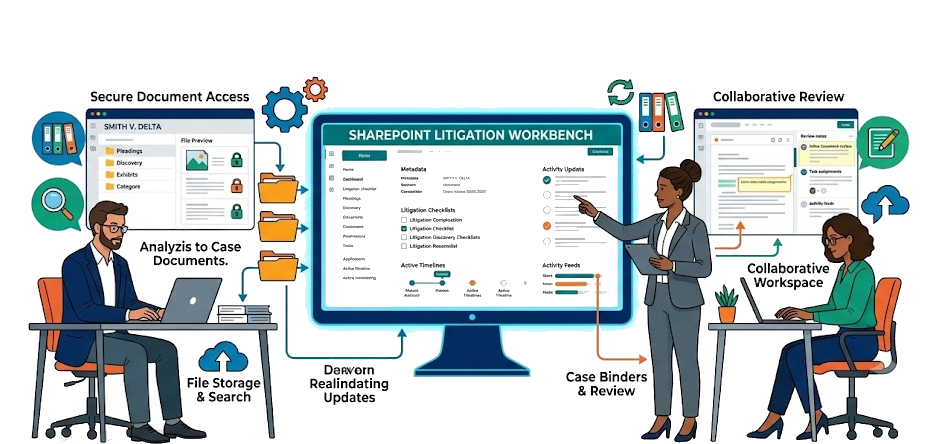
Firms evaluating litigation document management need more than a legal document management system with folders; they need a SharePoint legal DMS that supports electronic case binders, matter-centric document management, exhibit management, discovery management, witness management, and legal case chronology inside Microsoft 365 for law firms. With PageLightPrime’s matter-centric SharePoint legal DMS foundation, firms can build that kind of litigation workspace — using structured metadata, Microsoft 365 search, SharePoint lists and pages, and workflow automation to keep legal knowledge management and case analysis closer to the documents.
What is a litigation case binder?
A litigation case binder is a structured workspace that connects documents, evidence, chronology events, witnesses, issues, and legal analysis into a single matter-centric environment rather than storing documents in isolated folders.
Who benefits from litigation case binders?
- Insurance defense firms: Managing multi-party claims, coverage details, and voluminous medical/expert records across complex litigation portfolios.
- Personal injury firms: Organizing medical chronologies, liability evidence, and deposition exhibits for rapid demand letter and trial preparation.
- Employment litigation firms: Tracking sensitive personnel records, statements, and correspondence mapped directly to discrimination or wrongful termination claims.
- Commercial litigation firms: Streamlining document-heavy contract disputes, corporate discovery productions, and multi-issue financial evidence.
- Medical malpractice firms: Correlating complex clinical timelines, expert testimony, and standard-of-care evidence with precision source-linked chronologies.
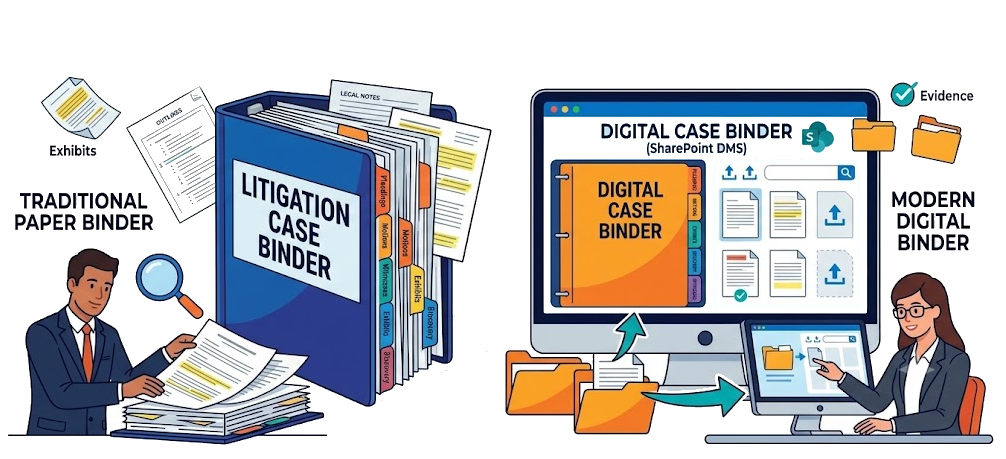
The limits of ordinary document folders
Folder-based document systems create familiar problems for litigation teams.
First, folder structures hide relationships between documents. A witness’s deposition transcript, a related medical record, and the motion exhibit that cites both may live in completely different locations. An attorney reviewing the motion cannot easily see the underlying evidence supporting each claim.
Second, the most important litigation knowledge — the factual analysis, the issue assessment, the source of a date in a chronology — often exists only outside the DMS, in email chains, memos, or note-taking apps. Searchable document text does not capture it.
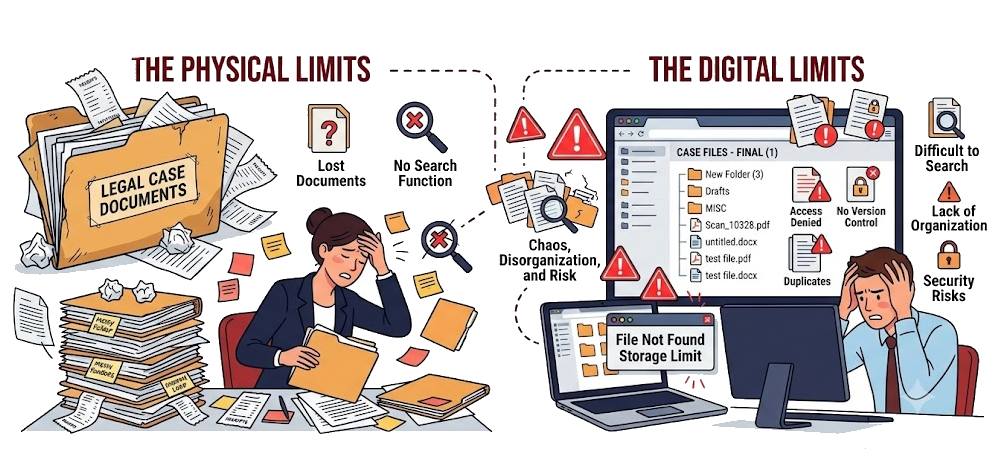
Third, chronologies and issue lists become standalone spreadsheets or separate task tools, disconnected from the documents that actually contain the evidence. When a fact in the chronology changes, nothing updates the document it references. When a new exhibit is added, nothing updates the issue list.
The result is wasted time at exactly the wrong moment. Teams preparing for deposition preparation, filing deadlines, or trial preparation cannot afford to re-link evidence manually each time a fact, witness, or exhibit changes.

What litigation teams actually need
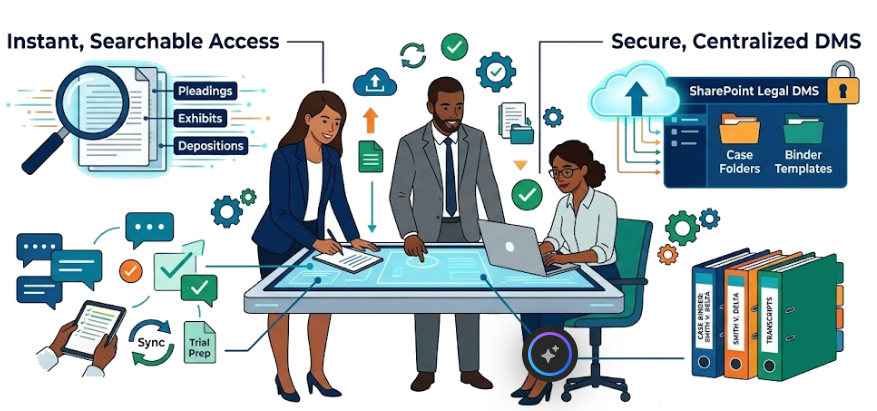
Litigation teams do not just need another folder. They need a law firm matter workspace built on Microsoft 365, where documents become part of an integrated case analysis — where every document is connected to an issue, a witness, a date, a task, and a next step.
The core capabilities of a litigation-focused DMS include the following:
- Electronic case binders: Organize matters into binders — for a motion, a deposition, an expert topic, or a trial phase — with documents assembled in a meaningful order, rather than scattered across generic folders.
- Matter-specific organization: Keep every document, note, and task tied to the matter it belongs to, instead of letting files drift between unrelated client workspaces.
- Issue and witness tagging: Tag documents by litigation issue, witness, party, or document type so attorneys can filter the entire case file down to exactly the evidence they need for effective witness management.
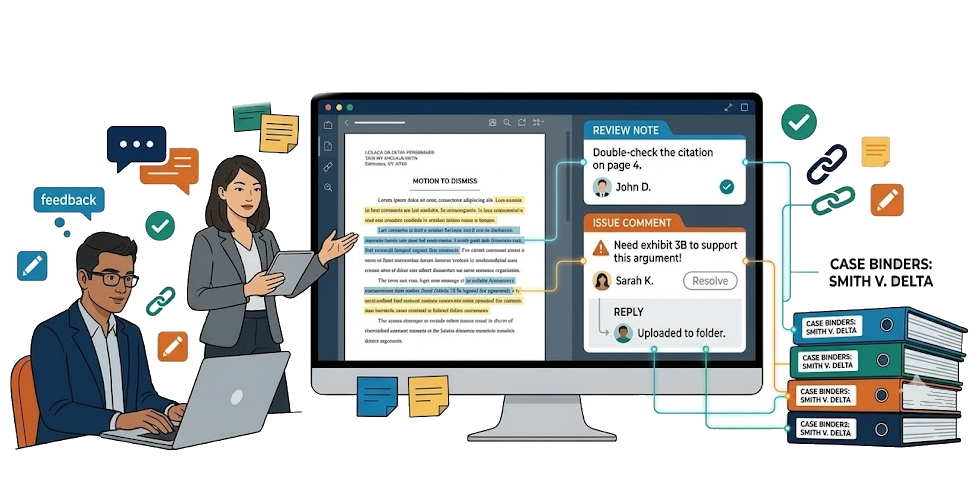
- Document-linked review notes and issue comments: Attach legal analysis to specific documents — a summary, an issue assessment, a privilege flag, or a note about how a passage helps or hurts the case.
- Source-linked chronology: Build a case chronology where every event date is tied back to the document, exhibit, or note that established it — not just an isolated list of dates.
- Document-linked tasks: Assign follow-up work — review, draft, confirm, summarize — directly to a document or annotation, so task tracking never drifts away from the evidence it concerns.
- Fast case-wide search: Search across document text, titles, metadata, notes, and chronology entries at once, with keyword search and metadata filters, so critical evidence is never more than a few keystrokes away.
How SharePoint becomes a litigation workbench
PageLightPrime configures SharePoint Online as a matter-centric legal DMS foundation that can be designed around litigation workflows — building on Microsoft 365’s native services for storage, identity, search, security, and collaboration rather than asking law firms to add another disconnected tool.
Matter workspaces instead of generic folders
PageLightPrime uses matter-centric site structures so every matter gets its own organized workspace. Instead of a generic shared drive with folders piled on folders, litigation teams work within a matter workspace that holds the documents, metadata, linked lists, tasks, and chronology entries for that single case.
Metadata for litigation context
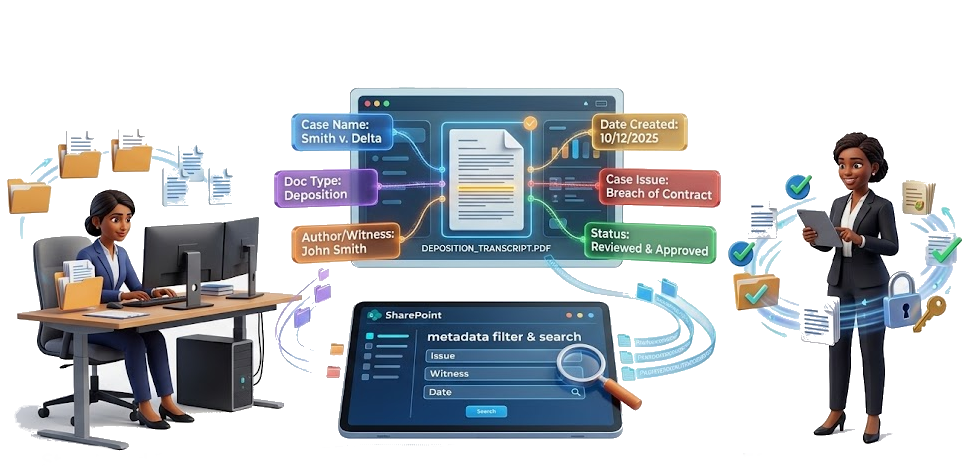
SharePoint metadata is the foundation of litigation document analysis and advanced discovery management. PageLightPrime applies legal-specific metadata so documents can be tagged by:
- Issue or claim
- Witness or party
- Document type (pleading, discovery, exhibit, deposition, correspondence)
- Event date
- Privilege status
- Relevance to the case
- Status (pending, reviewed, filed)
These metadata fields can turn SharePoint’s native views into litigation binders — an attorney could pull up every deposition transcript tied to a specific witness, every exhibit managed through structured exhibit management, or every document flagged as relevant to a particular issue, without rebuilding the folder structure each time.
Linked lists and pages for chronology and fact development
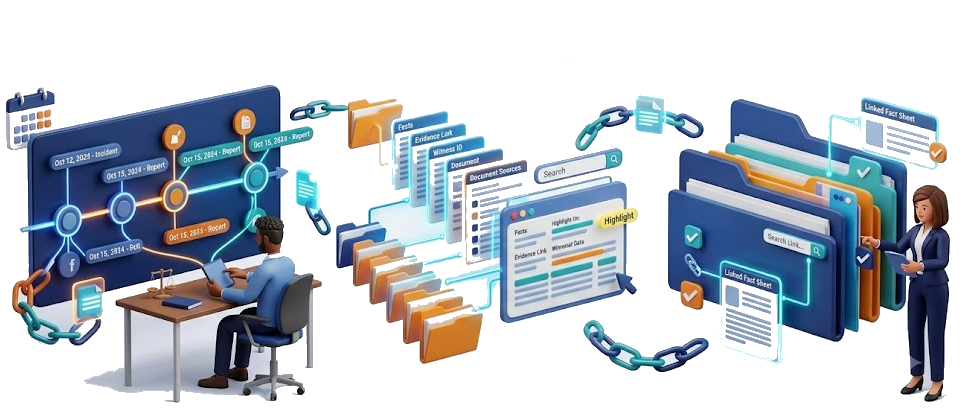
SharePoint lists and pages become the home for chronology events, issue tracking, witness information, and case analysis. Because these lists live inside the same matter workspace as the documents, an event in the chronology could link directly back to the exhibit, deposition passage, or correspondence that supports it. When the underlying document is updated, the link can remain intact.
This is what separates source-linked chronology from a standalone spreadsheet: the fact and the evidence stay connected.
Microsoft 365 security, retention, and versioning
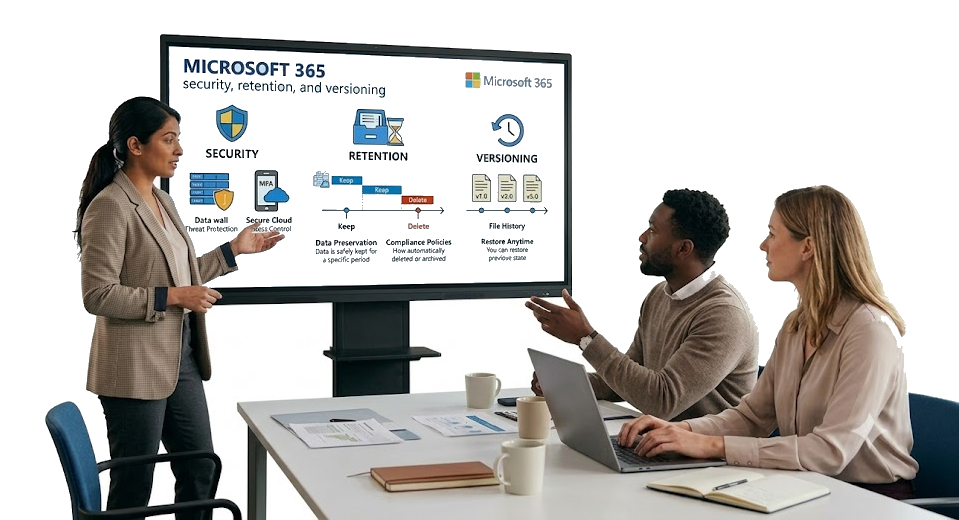
Litigation workspaces inherit SharePoint’s enterprise-grade security and compliance capabilities, including:
- Role-based access control
- Ethical walls for confidentiality
- Document version history and audit trails
- Retention and information rights management
- Integration with Microsoft Purview for compliance
This can give litigation teams the control they need over sensitive eDiscovery material and privileged communications, without relying on a separate security layer.
Native search across the entire case
SharePoint search indexes document text, metadata, titles, and linked list content together. Within a PageLightPrime matter workspace, this can mean case-wide search across exhibits, pleadings, deposition transcripts, chronology entries, and review notes — exactly what litigation teams need when preparing for a hearing, a deposition, or trial.
SharePoint Litigation Workspaces vs. Traditional Legal DMS Platforms
When law firms and corporate legal departments evaluate technology for managing active lawsuits, they often weigh traditional legacy document management systems (such as NetDocuments or iManage) against modern platforms built natively on Microsoft 365 and SharePoint.
Traditional legal DMS platforms function as standalone, siloed repositories. While they offer specialized legal categorization, they often require separate user authentication, distinct licensing fees, and custom synchronization layers to connect with the rest of your corporate infrastructure.
In contrast, a SharePoint-native litigation workspace leverages your organization’s existing Microsoft 365 tenant. This architecture provides several distinct advantages for litigation teams:
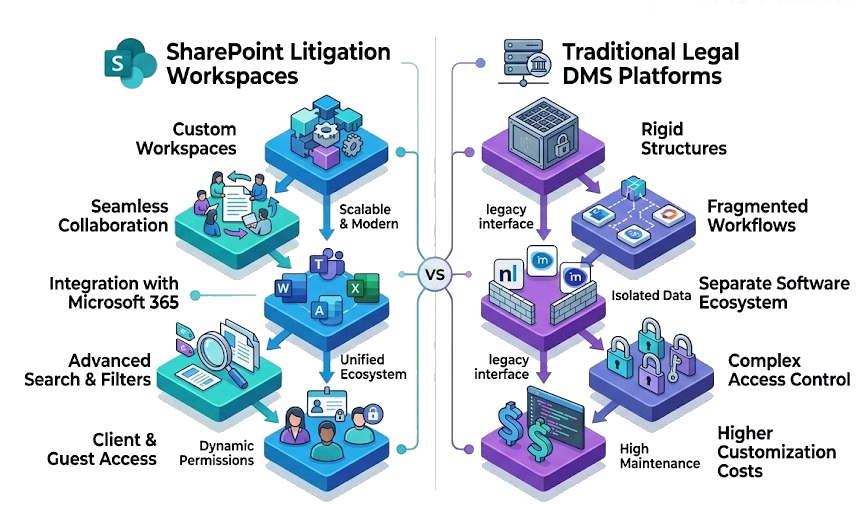
- Native Security and Compliance: Documents remain within your own cloud boundary, governed seamlessly by Microsoft Purview policies, data loss prevention (DLP), and enterprise-grade encryption.
- Unified Collaboration: Trial teams, co-counsel, and expert witnesses can collaborate in real time using Microsoft Teams, Word, and Outlook without exporting files or managing redundant permission lists.
- Eliminated Sync Friction: Because matter sites reside directly in SharePoint, native mobile access, version control, and co-authoring work out-of-the-box without third-party connector plugins.
By structuring matter binders, chronology events, and discovery documents within Microsoft 365, firms avoid the overhead of maintaining legacy third-party databases while aligning their litigation infrastructure with the tools attorneys already use daily.

Where PageLightPrime fits
PageLightPrime is the legal-specific layer that turns SharePoint into a litigation-ready DMS. Instead of asking firms to configure SharePoint from scratch, PageLightPrime delivers a purpose-built information architecture for law firms:
- Matter-centric site structures
- Legal document templates and standardized profiling
- Metadata-driven organization and search
- Role-based permissions and ethical walls
- Document lifecycle and version control
- Outlook and Office integration for email filing and document creation
- Task and workflow automation tied to matters and documents
The result is a litigation workspace where documents, evidence, chronology events, and tasks can stay connected — built on the Microsoft 365 platform firms already license, reducing reliance on disconnected spreadsheets and standalone task lists.

A practical example
Consider a complex eDiscovery matter involving a disputed medical record, a key witness deposition, and a motion for summary judgment.
In a folder-based system, these live as unrelated files. The medical record sits in a documents folder. The deposition transcript sits in a separate discovery folder. The motion draft lives in a briefs folder. The attorney’s analysis of whether the medical record helps or hurts the case lives only in a memo or an email.
In a PageLightPrime litigation workspace on SharePoint:
- The medical record is tagged to the issue it concerns, linked to the witness deposition that references it, and assigned to an attorney for review.
- A chronology entry records the medical event date and links back to the exhibit itself.
- The motion for summary judgment pulls its supporting exhibits from the same matter workspace, with each cited passage connected to its source document.
- A task is assigned to confirm the record’s chain of custody, tied directly to the exhibit rather than to a disconnected to-do list.
Now the case analysis and the source documents can live together. When the deposition transcript is updated, the linked issue assessment and chronology event could remain intact. When the motion is filed, the supporting evidence is one click away.

Preparing Your Litigation Knowledge Base for the AI Era
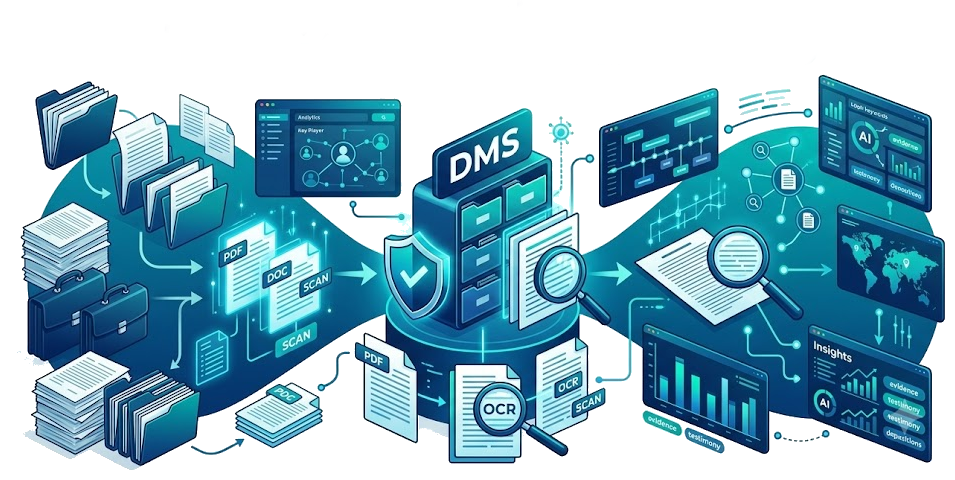
Structured metadata, linked chronology events, witness records, issue tracking, and document relationships create an AI-ready litigation knowledge base that can support Microsoft Copilot and future legal AI initiatives.
Because the information remains inside Microsoft 365, Microsoft Copilot can work across documents, chronology records, witness information, emails, and matter-related content without requiring firms to move their data into a separate repository.

The value is not replacing legal judgment
A litigation DMS does not replace an attorney’s judgment. It preserves it.
The analysis a litigation team develops — the issue assessments, the witness strengths and weaknesses, the chronology of events, the exhibits that support each argument — is valuable work. When that analysis lives only in memos, emails, or attorney memory, it has to be rebuilt every time the case moves forward.
When it lives inside the DMS, connected to the documents it references, it compounds. Advanced legal knowledge management ensures that the next attorney, paralegal, or co-counsel who opens the matter workspace inherits the analysis along with the files. Deposition preparation, motion drafting, and trial preparation start from a connected case file, not a blank page.

“
Is your DMS built for litigation analysis?
Many law firms have invested in document management. Far fewer have invested in litigation analysis — the capability to connect documents, evidence, issues, chronology events, and tasks inside a single matter workspace.
If your litigation teams are still relinking evidence manually before every hearing, rebuilding chronology spreadsheets that drift away from source documents, or tracking case tasks in a tool that has no connection to the exhibits they concern, the issue is not your storage. It is your information architecture.
PageLightPrime helps law firms design SharePoint legal DMS workspaces around matters, metadata, permissions, and litigation workflows delivered as legal practice management software — so the documents, the evidence, and the analysis stay connected, from intake through trial.
Book a demo to see how PageLightPrime transforms Microsoft 365 into a matter-centric litigation workspace where documents, evidence, chronology, legal knowledge, and workflows stay connected throughout the lifecycle of a case.
“
Frequently Asked Questions (FAQ)
What is an electronic case binder?
An electronic case binder is a digital workspace that organizes pleadings, discovery materials, exhibits, deposition transcripts, correspondence, notes, chronology events, and legal analysis into a structured matter-centric environment. Unlike traditional folders, electronic case binders help maintain relationships between documents, evidence, issues, witnesses, and case strategy.
How do litigation teams build source-linked chronologies?
A source-linked chronology connects every event in a case timeline to the document, exhibit, deposition testimony, medical record, or correspondence that supports it. Instead of maintaining standalone spreadsheets, litigation teams can use structured metadata and linked records so chronology entries remain connected to the underlying evidence throughout the life of the matter.
What is litigation evidence management?
Litigation evidence management is the process of organizing, classifying, searching, reviewing, and tracking documents and exhibits used to support legal arguments. Effective evidence management helps attorneys quickly locate supporting materials for depositions, motions, hearings, settlement negotiations, and trial preparation.
How does metadata improve litigation document management?
Metadata allows documents to be categorized by issue, witness, party, document type, privilege status, event date, and matter relevance. This enables attorneys to locate evidence through search and filtering without relying solely on folder structures, making document retrieval faster and more accurate.
Can SharePoint replace a traditional legal DMS?
For many law firms, SharePoint can provide the core capabilities needed for legal document management, including document storage, search, version control, security, retention, collaboration, and workflow automation. The effectiveness of SharePoint as a legal DMS depends on how it is structured, governed, and configured for legal workflows and matter management.
How does Microsoft Copilot benefit from structured litigation data?
Microsoft Copilot performs best when documents, metadata, chronology records, witness information, and matter-related content are organized and connected. Structured litigation workspaces create an AI-ready knowledge foundation that can improve search, summarization, information retrieval, and legal knowledge discovery across matters.
What is legal knowledge management in litigation?
Legal knowledge management is the practice of preserving and organizing the analysis, issue assessments, chronology development, witness evaluations, research, and strategic insights created during a case. Rather than allowing this knowledge to remain scattered across emails and personal notes, it becomes part of the matter record and can be reused throughout the litigation lifecycle.
What is a matter-centric legal DMS?
A matter-centric legal DMS organizes documents, emails, notes, tasks, workflows, chronology events, and related information around a specific legal matter. This approach helps ensure that all information associated with a case remains connected, searchable, and accessible from a single workspace.
How do litigation case binders help with trial preparation?
Litigation case binders help trial teams organize exhibits, witness materials, deposition transcripts, chronology events, pleadings, motions, and attorney analysis in a structured environment. By keeping evidence and analysis connected, attorneys can spend less time locating information and more time preparing legal strategy.